We know we want kids to have choice. As much choice as possible in creating the education that is meaningful and helpful for them. That choice can come through choice over content, medium, expression of ideas, types of discussion, seating in the classroom, what to work on when, when to take a break… there are so many possibilities! If you make it a professional challenge to start seeing the possibilities for choice, you’ll find them everywhere!
As I’ve been working on choice as a theme for The Lighthouse this month, I knew that I wanted to create a final choice board project adaptable for any text that would provide a range of options for students. But I also knew I wanted to avoid the pitfalls of some of the choice projects I designed for my own classroom, when I ended up having to create seven different rubrics and rewire myself for a huge range of requirements on my different project options as I graded them. While I was glad to give my students those choices, it was frustrating how long it took to complete my comments.
So I took some of my favorite types of projects, what I’ve learned about creating linked hyperdocs, and my strong desire for an easy grading situation and mashed it all up into an adaptable final project with nine choices, including one that allows students to create their own way to make meaning from what they’ve studied (so really, a million choices). I’m going to walk you through the process today, so you can do the same next time you’d like to create a project full of options, gifting your students agency as they synthesize what they’ve learned and create something new.
Let’s dive in.
Choosing the Choice Board Project Options
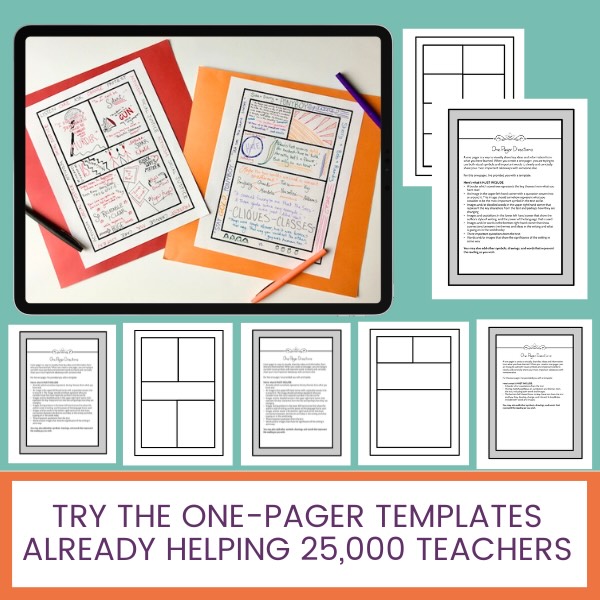
My first task was to consider all the many ways students might like to express their ideas and scatter them across the initial choice board. At this point, I didn’t need a lot of details, just a quick teaser sentence for each category of possibility. Drawing on the many kinds of projects I’ve created over the years, I decided to offer nine choices: one-pager, food truck or other model project, video, podcast, app, lightning version performance, creative writing, genre adaptation, and wildcard.
I already had project rundowns for most of these, so it would be easy to cut and paste from past projects into my new differentiated project hyperdoc. As you do this, there is no need to reinvent the wheel! Do what I did and pull from what you’ve loved in the past, and add one or two new elements if you wish.


Next I created a page for each project option following a similar format. I didn’t go as in-depth into each option as I normally would if everyone was doing one thing, as it isn’t feasible to spell out every step for nine different possible projects. But I tried to give a clear summary, the base requirements, and maybe a model or some questions to consider. Over time, you could begin to link models of student work from years past for each option as well.
Getting Techy: Linking the Choice Board Project Together
At first I planned to create each project prompt in its own Google Slide Deck and link them all from the choice board. But then I realized it would be simpler to organize and edit from within one slide deck. So I simply linked each project slide within the deck from its link graphic on the choice board. I did this with my favorite link trick – dropping a rectangle over my link graphic, making it and its border transparent, and then linking it to the slide. Those invisible rectangles are so handy.
Adding Doable Layers of Feedback & Reflection
As I mentioned, grading differentiated projects has been quite a hurdle in the past for me. So I wanted to design a project where students could get peer feedback, go through a process of self reflection, and have an authentic audience for their final work, as well as get teacher feedback in the most doable possible way.
In crafting the peer feedback sheet, I considered Felicia Chavez’s concept in The Anti-Racist Writer’s Workshop, that we should let students guide their feedback process, asking for help on what they consider to be the issues in their own drafts.
In designing the student reflection handout, I wanted to help students reflect on their work as creators, considering where they got stuck and where they grew, and where they’d like to go next.
With the teacher rubric sheet, I used the single-point rubric concept I first learned about from Jennifer Gonzalez to try to craft the easiest, most direct line of feedback possible for teachers to give to students.
Finally, as is my custom, I created compliment cards for students to fill out during the final project gallery, giving everyone a clear task as they walk so they connect with the projects they’re viewing on a level beyond the surface, and students can receive positive feedback from each other to reward their effort if you choose to share some of these cards out to creators later on.


Ready to Try it?
OK, my friend. We’ve walked through the steps – choosing your options from the work you’ve done before, linking it together on slides for easy student access, and adding feedback and reflection options that work for every option and don’t exhaust your work capacity. You’re ready to build you own!
Sources Considered:
Beghetto, Ronald. “Does Assessment Kill Student Creativity?” The Educational Forum, 2005.
Beghetto, Ronald. Killing Ideas Softly: The Promise & Peril of Creativity in the Classroom. Information Age Publishing, 2017. Accessed Online through the Ebesco Database.
Chavez, Felicia. The Anti-Racist Writer’s Workshop. Haymarket Books, 2021.
Gabriel, Elise. “Six Ways to Help Kids Grow their Creativity.” Greater Good Magazine Online: https://greatergood.berkeley.edu/article/item/six_ways_to_help_kids_grow_their_creativity. Accessed 28 October 2025.
Gonzalez, Jennifer. “Meet the Single Point Rubric.” Cult of Pedagogy Online: https://www.cultofpedagogy.com/single-point-rubric/. Accessed May 2025.
Pringle, Zorana Ivcevic. The Creativity Choice. Public Affairs: 2025.
Wiggins, Grant. “Creative.” https://grantwiggins.wpcomstaging.com/wp-content/uploads/2012/02/creative.pdf. Accessed 28 October 2025.